
Select a communication button
With the default settings, selecting an ordinary communication button does two things:
- speaks the button’s recorded sound or spoken text; and
- adds its word to the phrase row.
The default phrase row shows words only. This can be changed to images only or both words and images in Settings.
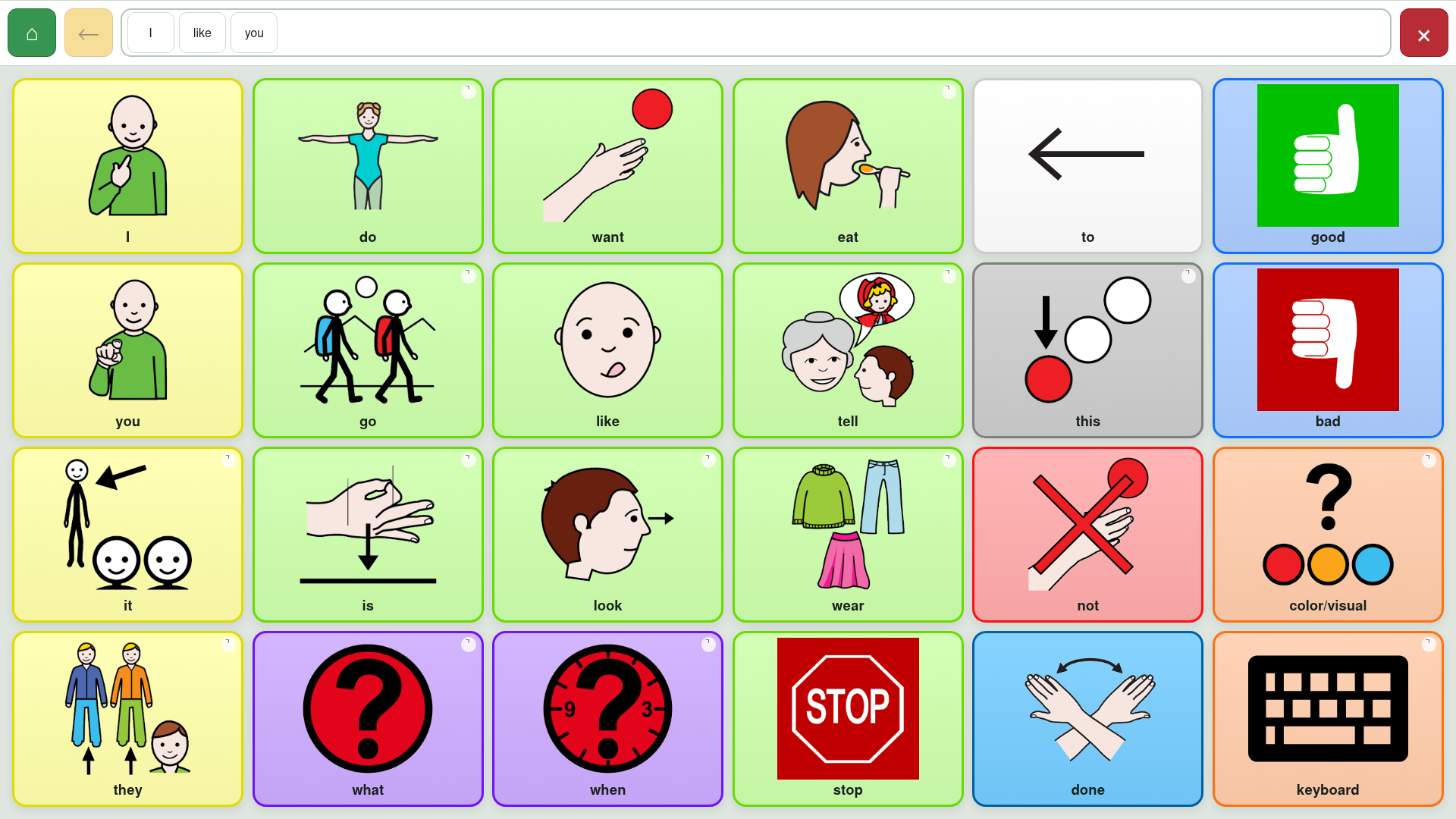
Speak the complete phrase
Select the phrase row to speak the complete message. The app uses the chosen device text-to-speech voice, rate, pitch and volume.
Some board buttons may contain their own actions, such as:
- speak the phrase;
- clear it;
- remove the last item;
- return to the home board;
- add a space or spelling text.
Those actions come from the board file and may appear as ordinary board buttons.
Move between boards
Buttons with a small corner marker open another board. With the default Vocalize board links setting, LibreAAC speaks the folder label before opening its destination.
- Home returns directly to the home board.
- Back follows the actual route through previously visited boards.
- The phrase remains intact during both actions.
If a board link points somewhere that is unavailable offline, LibreAAC reports the unavailable destination instead of silently discarding the action.
Clear the phrase
Select the large red X at the right of the phrase row. This clears all phrase items immediately.
Ten presses reveal the normally hidden management row. This remains the way to reach Library, Settings and editing tools; see Your communication boards.
Choose what happens when a button is selected
Speaks each selection and adds it to the phrase. This is the default.
Adds selections to the phrase without speaking each one.
Speaks individual selections and removes the phrase row.
The correct choice depends on the communicator’s access needs, language strategy and preferences. A speech pathologist or other AAC professional can help evaluate the effect of these choices.
Recorded sounds and speech
If a button has a usable recorded sound, LibreAAC plays it. Otherwise it speaks the button’s spoken text or label using the device voice. If a sound or voice is unavailable, the app reports that rather than stopping the board.
Return to user mode
When the management row is visible, select User mode to hide it. If editing is unlocked, User mode also locks editing so communication buttons return to their normal function.